![Claimocity Logo_HubSpot Help Center.png]](https://portal.claimocity.com/hs-fs/hubfs/Claimocity%20Logo_HubSpot%20Help%20Center.png?height=40&name=Claimocity%20Logo_HubSpot%20Help%20Center.png)
Overview
Some states may require that one provider's completed progress notes are signed off by a different provider. Claimocity has a quick and easy way to achieve this.
How to Co-sign a Progress Note
- First, navigate to the Daily Census page and locate the patient visit.
- Select the required patient’s progress note by clicking the white note icon
- If the facility is integrated, the note icon will display as green
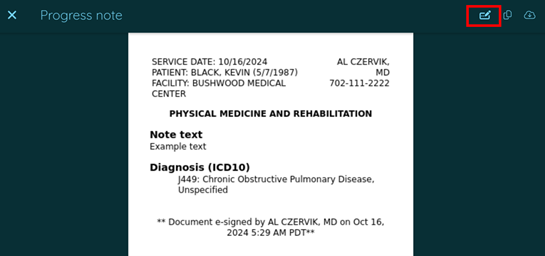
- Locate the Co-Sign button.
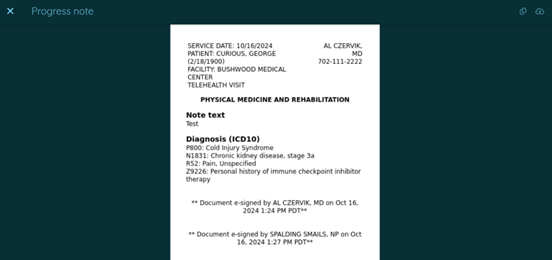
- After co-singing, you will see the initial provider's signature, and below that will be the signature of the co-signer.