![Claimocity Logo_HubSpot Help Center.png]](https://portal.claimocity.com/hs-fs/hubfs/Claimocity%20Logo_HubSpot%20Help%20Center.png?height=40&name=Claimocity%20Logo_HubSpot%20Help%20Center.png)
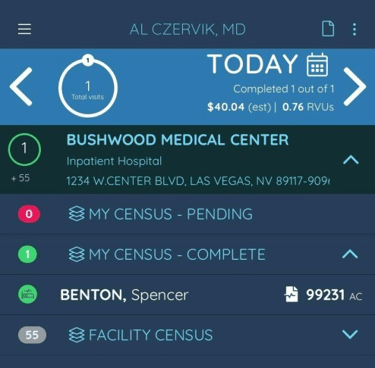
1. Locate the patient in your completed census and click on the patient to navigate to the Visit Details.
2. Select the note icon to enter the addendum. The keyboard appears with a free form text section.
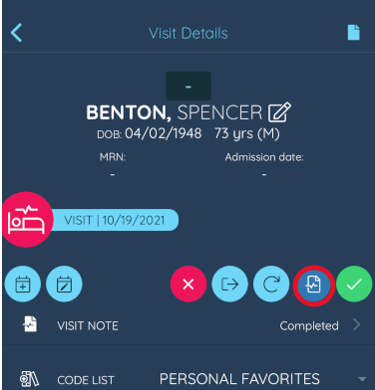
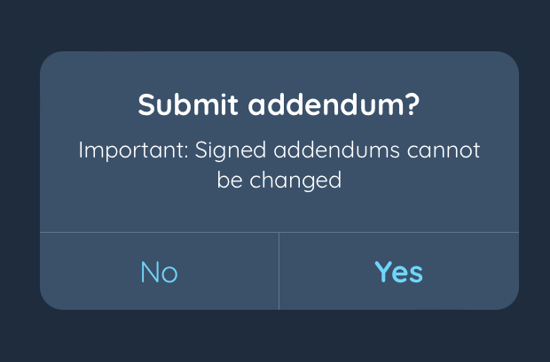
3. Click 'Create Addendum' and confirm your submission by clicking 'Yes'

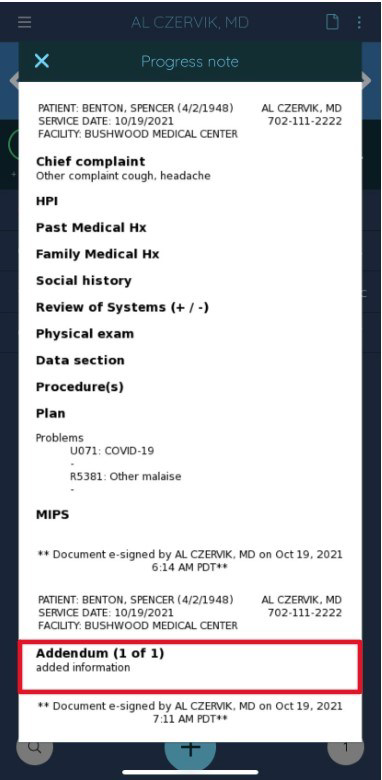
When complete, the Note Preview will then show the addendum added below the original note text.