![Claimocity Logo_HubSpot Help Center.png]](https://portal.claimocity.com/hs-fs/hubfs/Claimocity%20Logo_HubSpot%20Help%20Center.png?height=40&name=Claimocity%20Logo_HubSpot%20Help%20Center.png)
What is new!
- 2024 Quality Measures have been updated as outlined by CMS
- Added a new page for Encounters that gives you visibility into all draft, completed, and voided encounters across all dates of service and facilities (See below for additional details)
- Added the ability to pull clinical data for PCC integrated patients across all progress note templates (See below for additional details)
- Improved visibility into Encounter History on Patient Details page to allow you to see the most recent encounters, regardless of year
- Relaxed Validation for selected Encounter Type
We resolved it:
- The Copy Note button will now keep your note formatting and will appear in the census as expected
- Added or updated diagnosis codes will now update as expected in the Plan section of the progress note
Additional Details:
Encounters Page
- The Encounters page is accessed through the left-side navigation panel. The Encounters page allows you to:
- Continue draft encounters by clicking into the row
- Continue draft progress notes by clicking the yellow note icon
- Filter encounters by multiple data points
- Export encounter data
- Print encounter data

Pull Clinical Data into Progress Notes
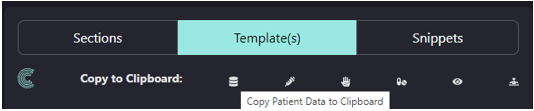
- For PCC integrated patients, when in the Templates tab of a progress note, you will see options for Copy to Clipboard. When clicked, the clinical data will be copied.
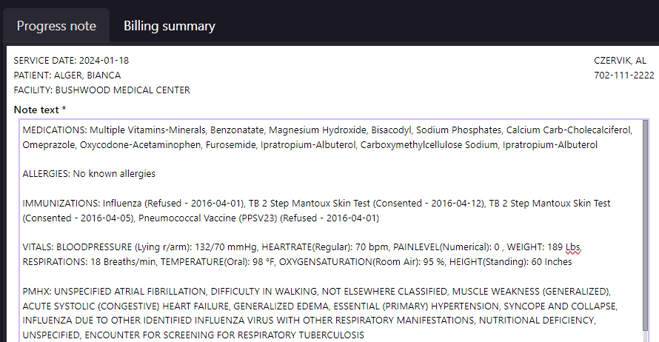
- The user then can paste the data into the progress note section
- Data that can be pulled includes:
- All patient clinical data (includes all of the below)
- Immunizations
- Allergies
- Medications
- Vitals
- PMHX