|
What is new!
- Improved visibility and functionality in the patient search bar on the census
- You can now sign draft progress notes directly from the census when you Sign and Bill
- An alert will prompt the user to decide if you want to sign the progress note or leave it in a draft status
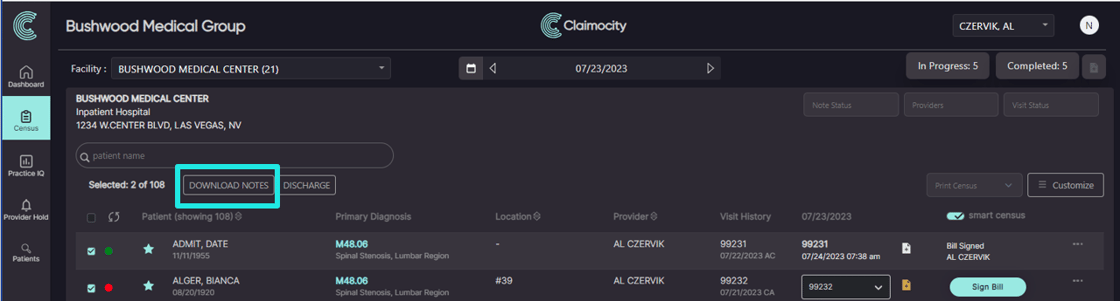
- You now have the ability to download notes in bulk actions (see below for additional details)
- Voiding an encounter will now alert you that the draft progress note will be deleted
- Ability to add headers for snippets to quickly identify which snippet you'd like to use
- Ability to sort snippets by creation date, alphabetically, or a custom sort
- Improved provider search functionality
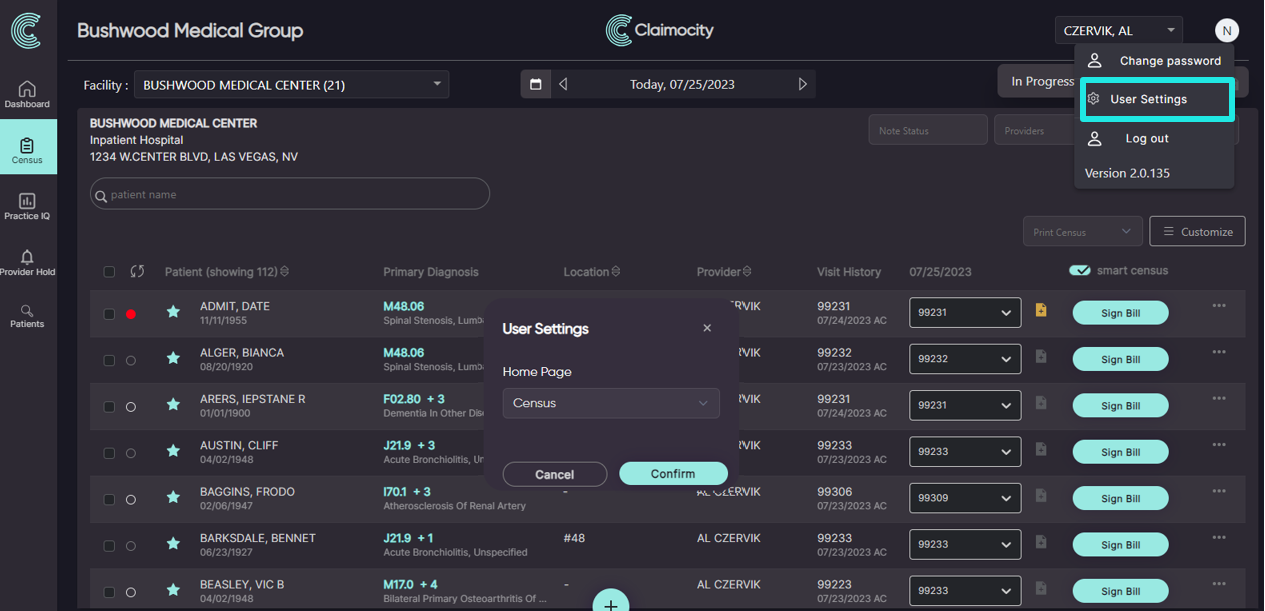
- Added User Settings to allow you to select which page you want as the Home Page of the app when you log in (see below for additional details)
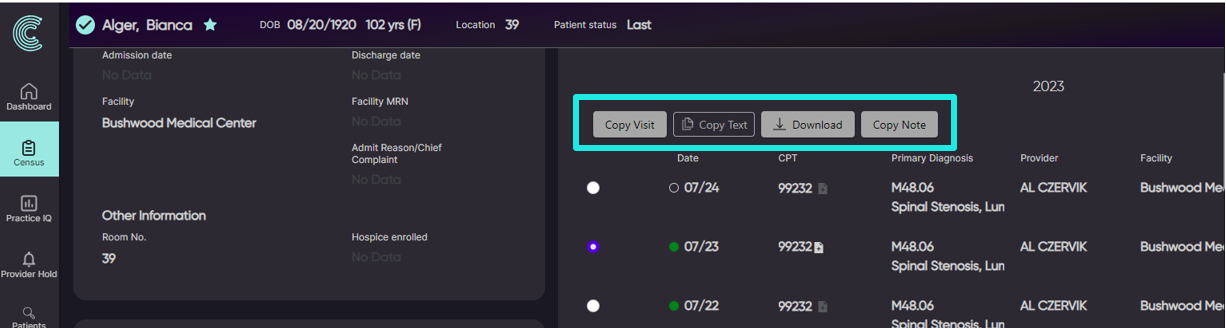
- Added functionality to the Patient Details page that allows you to create, copy or continue encounters and progress notes (see below for additional details)
We resolved it:
- Plan section not saving in the Pre-Formatted Template (2023-July) is now resolved
- Reusing a progress note will now display all progress notes created on the desktop platform
- Admit Reason/ Chief Complaint field intermittently not saving is now resolved
- Progress note sections will now only display when they are selected
- Error when signing a progress note after the encounter has been completed is now resolved
Additional Details:
Bulk Downloading Notes
- The Download Notes button has been nested under Bulk Actions giving you more flexibility into which progress note you want to download
- You can filter by Note Status on the census to isolate to completed progress notes
- You can use the Select All button to select all patient notes to download
 |