![Claimocity Logo_HubSpot Help Center.png]](https://portal.claimocity.com/hs-fs/hubfs/Claimocity%20Logo_HubSpot%20Help%20Center.png?height=40&name=Claimocity%20Logo_HubSpot%20Help%20Center.png)
NEW!
- Ability to view completed progress notes from the Encounters page
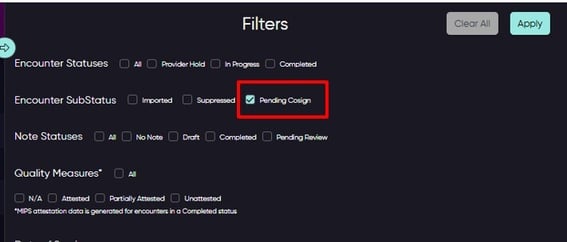
- Flag encounters that need to be cosigned by enabling the Pending Co-Sign toggle (see below for additional details)
- MIPS attestation status is now displayed on Encounters page for completed visits
- Filter by visit status, provider, or care team on the visit history window from the census page
ADDITIONAL INFORMATION
Pending Co-Sign
- Toggle is available on the encounters page and the progress note page
- Once enabled, any encounter requiring a secondary signature will be tagged with a Pending Co-Sign status
- You can filter by notes that are pending co-signatures via the census or the encounters page
- After the note has been co-signed, the pending co-sign flag will be disabled
MIPS Visibility in Encounters Page
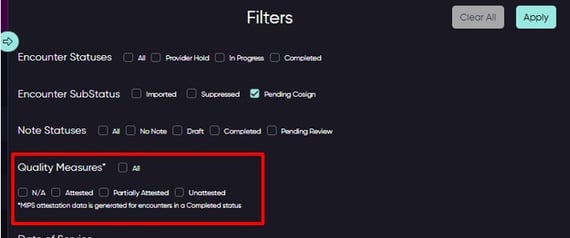
- Quality Measures column displays attestation data for completed encounters
- Attested = all relevant MIPS measures for the encounter have been attested to
- Unattested = MIPs measure has not been attested to
- Partially Attested = Some but not all measure have been attested to
- N/A = there are no relevant MIPS for the encounter or the encounter is not yet completed
- The MIPS data is refreshed nightly