![Claimocity Logo_HubSpot Help Center.png]](https://portal.claimocity.com/hs-fs/hubfs/Claimocity%20Logo_HubSpot%20Help%20Center.png?height=40&name=Claimocity%20Logo_HubSpot%20Help%20Center.png)
NEW!
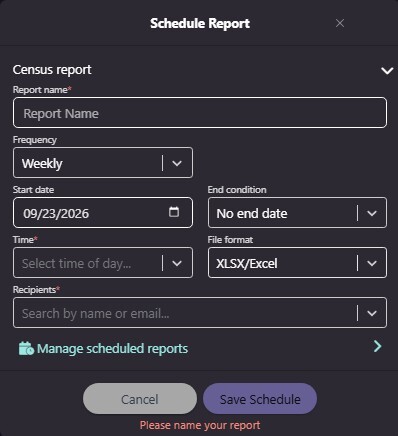
- Scheduled Reports: Schedule Census, Encounters, Provider Hold, and Patients exports to run automatically and arrive in your email on a recurring basis, instead of re-exporting manually every time (see below for additional details).
- Completed Encounter View: Review completed encounters in a read-only view, now accessible from the Encounter Details page, the Billing tab, and the Patient Details page.
- Progress Note Addendum/Co-Sign Filter: A new filter on the Encounters page lets you find progress notes that have an addendum or a co-signatur
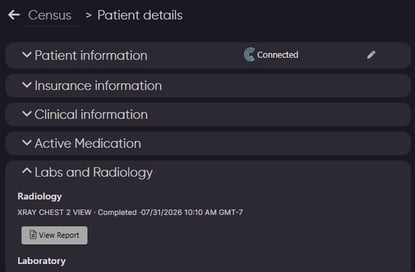
- View Lab & Radiology Reports: A new View Report button lets you view available lab and radiology data from PointClickCare, even when the underlying file itself isn't downloadable (see below for additional details).
RESOLVED!
- Sign & Bill Note Requirement: When a practice requires notes, Sign & Bill now correctly stays disabled until a note is attached.
ADDITIONAL INFORMATION
Scheduled Reports
- Schedule recurring exports from the Census, Encounters, Provider Hold, and Patients pages in Desktop Classic, so the reports you pull regularly are delivered automatically
- To set one up, click the arrow next to the download button and select Schedule future run. The download button itself still exports immediately, as it does today.
- Choose how often the report runs
- The report uses the filters and columns active on the page when you schedule it, so you get exactly the data you're looking at.
- Reports are delivered as Excel files to you and any other Claimocity users you add as recipients.
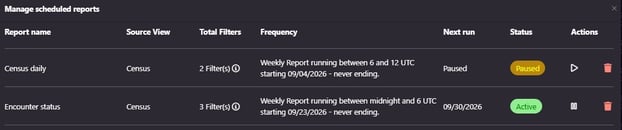
- Select Manage scheduled reports to view all of your scheduled reports in one place and pause, resume, or delete them at any time.
Viewing Labs & Radiology Reports for PCC Integrated Patients
- A new View Report button appears whenever additional lab or radiology data is available from PointClickCare, even if the underlying PDF or image file isn't downloadable.
- Existing download buttons continue to display normally for any available PDF or image files.
- This update applies currently to the Labs/Radiology in the Patient Details page
- Functionality will be extended to the progress note viewer in a future release